


AI project management tools streamline workflows through task automation, predictive analytics, and smart collaboration. They enhance efficiency, reduce manual effort, improve planning accuracy, and help teams deliver projects faster with better coordination and optimized processes.
Managing projects used to mean juggling spreadsheets, chasing status updates, and hoping nothing slipped through the cracks. That approach no longer works for teams under pressure to ship faster with fewer resources. AI project management tools change the equation by handling the repetitive work, predicting problems before they happen, and keeping everyone aligned without constant manual effort.
This guide breaks down what these tools do, how they work, and how to choose the right one for your team. You will learn about task automation, team collaboration features, workflow optimization, and the practical steps for rolling out AI across your projects. Whether you lead a small startup team or coordinate dozens of contributors, this resource gives you the knowledge to make confident decisions and get real value from your investment.
What Are AI Project Management Tools?
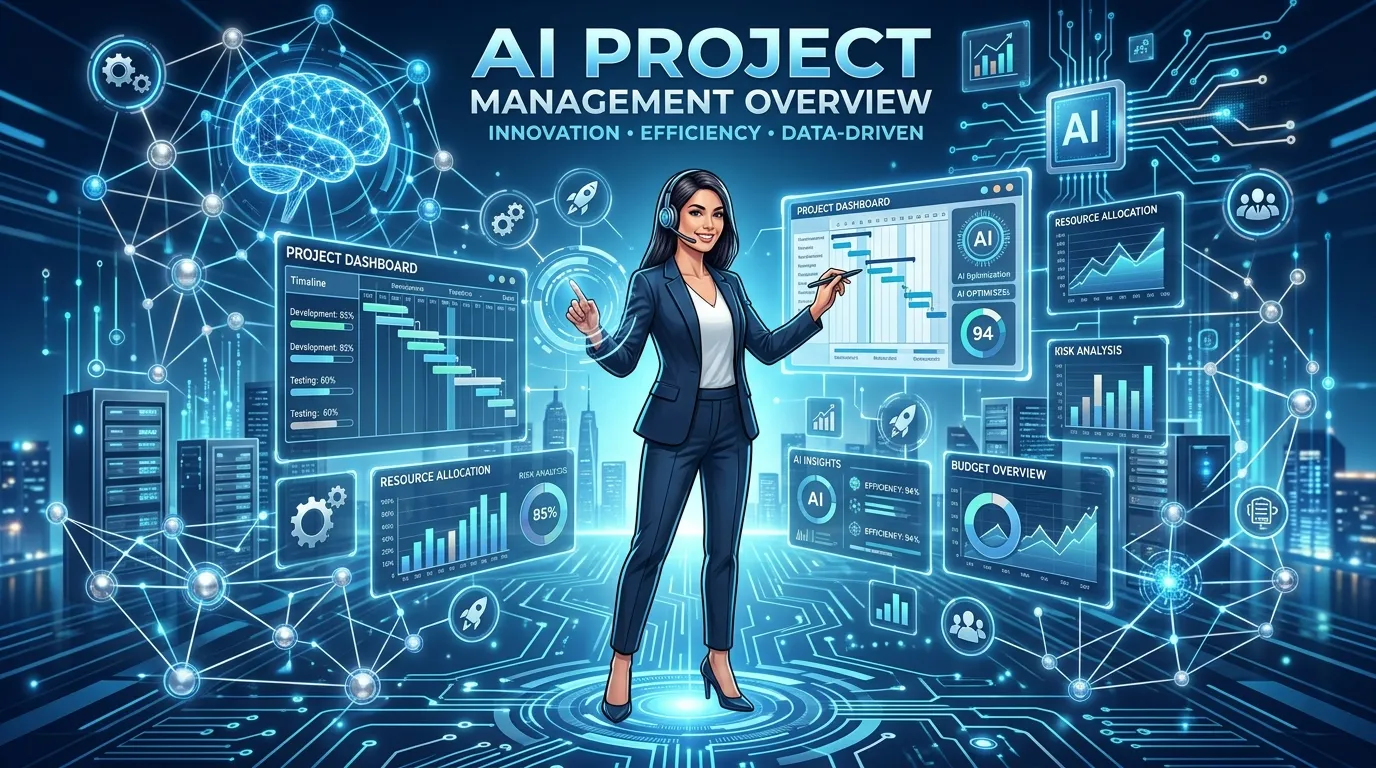
AI project management tools are software platforms that use artificial intelligence to plan, track, and optimize work. They go beyond traditional project software by analyzing data, learning from patterns, and making smart recommendations. Instead of simply storing your tasks, they actively help you complete them faster and with fewer mistakes.
At their core, these tools combine the familiar features of project management software with machine learning. They can predict deadlines, flag risks, assign work based on capacity, and even draft project plans from a short prompt. The result is a system that thinks alongside you rather than just recording what you tell it.
The shift toward AI project management reflects a broader change in how teams work. Speed and accuracy matter more than ever, and human attention is a limited resource. By offloading routine decisions and busywork to intelligent software, teams free up time for creative thinking and strategic planning.
How AI Differs From Traditional Project Software
Traditional project management software is essentially a digital filing cabinet. You enter tasks, set dates, and update progress yourself. The software organizes this information, but it does not act on it. Every insight requires you to dig through the data manually.
AI project management tools take a more active role. They process your project data continuously and surface insights you might miss. For example, an AI tool might notice that a teammate is overloaded and suggest redistributing tasks. This proactive behavior is what sets intelligent platforms apart.
The difference becomes clear in daily use. With traditional tools, you spend time managing the software. With AI tools, the software helps manage the work. That shift saves hours each week and reduces the mental load of keeping a project on track.
Core Technologies Behind the Tools
Several technologies power modern AI project management tools. Understanding them helps you appreciate what these platforms can actually do. Each technology contributes a different capability to the overall system.
- Machine learning: Learns from past projects to improve predictions over time.
- Natural language processing: Understands plain-language commands and generates readable summaries.
- Predictive analytics: Forecasts deadlines, budgets, and potential bottlenecks.
- Automation engines: Trigger actions automatically when certain conditions are met.
- Data integration: Pulls information from connected apps to create a unified view.
These technologies work together to deliver a smooth experience. You interact with a simple interface, while complex processing happens behind the scenes. This combination of power and simplicity makes AI project management accessible even to non-technical teams.
Key Benefits of AI Project Management Tools
Adopting AI project management tools delivers measurable advantages across the entire project lifecycle. From planning to delivery, these platforms reduce friction and improve outcomes. The benefits extend to individual productivity, team coordination, and overall business performance.
The most immediate gain is time savings. Tasks that once took hours now happen in seconds. This efficiency compounds across a team, freeing up significant capacity for higher-value work. Over time, those saved hours translate into faster delivery and lower costs.
Beyond efficiency, these tools improve accuracy. Human estimates often miss the mark, but AI predictions draw on real data from past projects. This data-driven approach leads to more realistic plans and fewer unpleasant surprises along the way.
Smarter Task Automation
Task automation sits at the heart of what makes these tools so valuable. Repetitive actions like assigning work, sending reminders, and updating statuses no longer require human effort. The software handles them automatically based on rules you define or patterns it learns.
Consider a common scenario. When a designer marks a task complete, the next task in the workflow can move to a developer automatically. A notification goes out, the timeline updates, and no one has to lift a finger. This kind of task automation eliminates delays and keeps momentum strong.
Smart automation also reduces errors. People forget to update statuses or notify teammates, but software does not. By automating these handoffs, AI project management tools ensure that nothing falls through the cracks. The whole team benefits from a more reliable process.
Improved Team Collaboration
Team collaboration improves dramatically when everyone works from the same intelligent system. AI project management tools centralize communication, files, and updates in one place. This shared visibility eliminates the confusion that comes from scattered emails and disconnected chat threads.
These platforms also help teams stay aligned across time zones and locations. Automated summaries keep remote workers informed without endless meetings. When someone returns from time off, an AI-generated recap brings them up to speed in minutes rather than hours.
Strong team collaboration depends on clarity, and AI delivers it. Everyone can see who is responsible for what, when it is due, and how it fits into the bigger picture. This transparency builds trust and reduces the friction that slows projects down.
Powerful Workflow Optimization
Workflow optimization is where AI project management tools truly shine. These platforms analyze how work flows through your team and identify ways to make it smoother. They spot bottlenecks, suggest improvements, and help you refine your processes continuously.
For example, an AI tool might notice that approval steps consistently cause delays. It can flag this pattern and recommend a streamlined approval path. Over time, these small improvements add up to a faster, more efficient operation.
The beauty of AI-driven workflow optimization is that it never stops learning. As your team works, the software gathers more data and refines its recommendations. This ongoing improvement keeps your processes sharp and your team performing at its best.
Must-Have Features in AI Project Management Tools

Not every platform offers the same capabilities, so knowing which features matter helps you choose wisely. The best AI project management tools combine intelligent automation with intuitive design. Look for features that solve your specific challenges and grow with your team.
Before comparing products, define what success looks like for your team. A small creative agency has different needs than a large engineering organization. Matching features to your actual workflow prevents you from paying for tools you will never use.
The following features represent the building blocks of a strong AI project management platform. Each one addresses a common pain point and contributes to a more efficient operation. Prioritize the ones that align with your goals.
Intelligent Scheduling and Planning
Smart scheduling takes the guesswork out of planning. AI project management tools analyze task dependencies, team capacity, and historical data to build realistic timelines. They can generate an entire project plan from a brief description, saving hours of manual setup.
These tools also adjust dynamically. When a task slips, the software recalculates the timeline and notifies affected team members. This automatic rescheduling keeps your plan accurate without constant manual updates. You always know where the project really stands.
Predictive Risk Analysis
Predictive analytics gives you a powerful early warning system. By studying patterns from past projects, AI project management tools identify risks before they become problems. They might flag a deadline that looks unrealistic or a resource that is stretched too thin.
This foresight lets you act early. Instead of scrambling to fix a crisis, you address small issues before they grow. Predictive risk analysis transforms project management from reactive firefighting into proactive planning. That shift alone can save a project from failure.
Automated Reporting and Insights
Reporting often eats up valuable time, but AI handles it effortlessly. These tools generate clear, accurate reports automatically. Stakeholders get the updates they need without you spending hours building presentations or compiling data.
AI-generated insights go beyond basic reports. The software highlights trends, celebrates wins, and points out areas that need attention. This analysis helps you make informed decisions quickly. You get the full picture at a glance, ready to share with anyone.
Seamless Integrations
The best AI project management tools connect with the apps you already use. Integrations with communication platforms, file storage, calendars, and development tools create a unified workflow. Data flows automatically between systems, eliminating tedious manual entry.
Strong integration capabilities also future-proof your investment. As your tech stack evolves, your project management platform should adapt with it. Look for tools with a wide range of native integrations and flexible options for connecting custom systems.
Comparing AI Project Management Tools by Use Case
Different teams need different things from their software. The table below compares common categories of AI project management tools based on typical use cases. Use it as a starting point to identify which type best fits your situation.
|
Use Case |
Key AI Features Needed |
Best For |
Primary Benefit |
|---|---|---|---|
|
Small Team Coordination |
Task automation, simple scheduling |
Startups, small agencies |
Easy setup and quick wins |
|
Complex Engineering Projects |
Predictive analytics, dependency mapping |
Software and product teams |
Accurate risk management |
|
Creative Production |
Workflow optimization, collaboration tools |
Marketing and design teams |
Smoother handoffs and reviews |
|
Enterprise Operations |
Advanced reporting, integrations |
Large organizations |
Scalable visibility and control |
|
Remote and Hybrid Teams |
Automated summaries, team collaboration |
Distributed workforces |
Alignment across locations |
This comparison shows that no single tool fits every team. The right choice depends on your size, industry, and specific challenges. Matching features to your use case ensures you get the most value from your investment.
Choosing Based on Team Size
Team size strongly influences which tool makes sense. Small teams benefit from simple, affordable platforms with strong task automation. They need quick wins without a steep learning curve or heavy administrative overhead.
Larger teams require more robust capabilities. Advanced reporting, granular permissions, and deep integrations become essential as complexity grows. For these organizations, investing in a powerful AI project management platform pays off through better coordination and control.
Choosing Based on Industry
Your industry shapes your needs as well. Software teams value dependency tracking and predictive analytics that help them manage complex builds. Creative teams prioritize collaboration features and smooth workflow optimization for review cycles.
Service businesses often focus on resource management and client communication. By considering your industry’s unique demands, you narrow your options to tools designed for your kind of work. This focus leads to a better fit and higher adoption.
How to Implement AI Project Management Tools Successfully
Buying a tool is easy, but getting real value requires thoughtful implementation. A rushed rollout often leads to frustration and low adoption. A deliberate approach helps your team embrace the new system and unlock its full potential.
Successful implementation starts with clear goals. Define what you want to achieve before you begin. Whether you aim to reduce delays, improve visibility, or boost task automation, specific objectives guide your setup and help you measure success.
Change management matters just as much as technical setup. People naturally resist new tools, so bring your team along from the start. Explain the benefits, provide training, and gather feedback. When people understand how the tool helps them, they adopt it willingly.
Setting Clear Goals and Metrics
Begin by identifying the problems you want to solve. Vague intentions lead to vague results, so get specific. Maybe you want to cut project delays by 20 percent or eliminate manual status updates entirely. Concrete goals give you a target to aim for.
Next, define metrics to track your progress. Measurable indicators show whether the tool is delivering value. Track things like time saved, on-time delivery rates, and team satisfaction. Regular measurement keeps your implementation on course and proves the return on your investment.
Training Your Team Effectively
Even the best tool fails without proper training. Invest time in helping your team learn the platform. Hands-on sessions, short video guides, and clear documentation all support a smooth transition. Make learning easy and accessible for everyone.
Designate champions within your team who master the tool early. These power users help colleagues, answer questions, and model best practices. Their enthusiasm spreads, accelerating adoption across the whole group. Peer support often works better than top-down mandates.
Refining Your Processes Over Time
Implementation does not end on launch day. The real gains come from continuous refinement. As your team uses the tool, gather feedback and adjust your setup. Small tweaks compound into major improvements over time.
For teams serious about getting the most from their software, studying proven methods for streamlining work pays real dividends.
Learn more about refining your processes here: A practical guide to workflow optimization
This ongoing attention turns a good tool into a great one. By treating implementation as a journey rather than a destination, you keep improving. Your processes get sharper, your team gets faster, and your results keep climbing.
Common Mistakes to Avoid
Even with great tools, teams sometimes stumble during adoption. Knowing the common pitfalls helps you steer clear of them. A little awareness goes a long way toward a smooth, successful rollout.
The most frequent mistake is expecting AI to fix broken processes overnight. These tools amplify your existing workflow, so a messy process becomes a faster mess. Clean up your basic processes first, then let AI optimize them further.
Another common error is overcomplicating the setup. Teams sometimes try to automate everything at once, creating confusion. Start small, prove value, and expand gradually. This measured approach builds confidence and avoids overwhelming your team.
Ignoring the Human Element
Technology alone does not guarantee success. The biggest projects fail when teams forget the human side of change. People need to understand why a new tool matters and how it helps them personally.
Involve your team in the decision and listen to their concerns. When people feel heard, they buy in. This human-centered approach makes adoption far smoother than simply forcing a new system on everyone. Remember that tools serve people, not the other way around.
Underusing Available Features
Many teams use only a fraction of what their AI project management tools offer. They stick to basic task tracking and miss the powerful automation and analytics features. This underuse wastes money and limits your results.
Take time to explore the full capabilities of your platform. Schedule periodic reviews to discover features you have not tried. As your team grows comfortable, gradually adopt more advanced functions. Getting full value requires ongoing curiosity and experimentation.
The Future of AI Project Management Tools
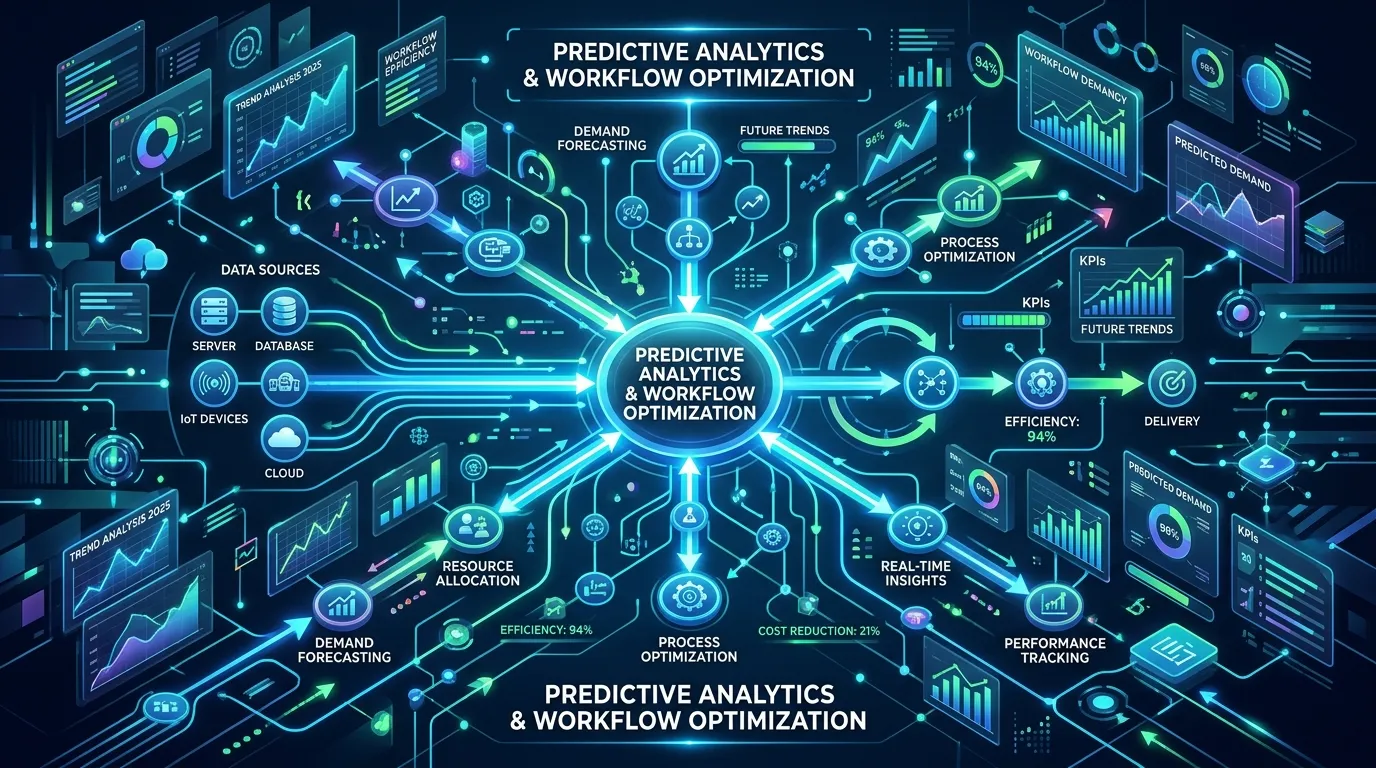
The capabilities of AI project management tools keep expanding rapidly. What seemed impossible a few years ago is now standard. Understanding where the technology is heading helps you prepare for what comes next.
Future tools will become even more autonomous. They will handle routine decisions independently, freeing humans for purely strategic work. Imagine software that not only flags a risk but also proposes and implements a solution after your approval.
Personalization will also deepen. AI will learn each team member’s working style and tailor its support accordingly. This individualized assistance will make the tools feel like a true partner. The line between human and software collaboration will continue to blur.
Emerging Trends to Watch
Several exciting trends are shaping the next generation of these platforms. Staying aware of them helps you make forward-looking decisions. Each trend points toward more capable and intuitive software.
- Conversational interfaces: Managing projects through natural chat commands.
- Autonomous task handling: Software that completes routine work end to end.
- Deeper predictive power: More accurate forecasts across budgets and timelines.
- Hyper-personalization: Tools that adapt to individual working styles.
- Cross-team intelligence: Insights that span entire organizations, not just single projects.
These trends signal a future where AI project management becomes even more central to how teams work. By keeping an eye on these developments, you position your team to adopt valuable innovations early. The advantage goes to those who stay informed and adaptable.
Preparing Your Team for What Comes Next
The pace of change means your team must stay flexible. Build a culture of continuous learning so people embrace new capabilities rather than resist them. Adaptability becomes a genuine competitive strength in a fast-moving landscape.
Encourage experimentation and reward curiosity. When your team feels comfortable trying new features, they discover better ways to work. This mindset ensures you keep extracting value as the technology evolves. The teams that thrive will be those that grow alongside their tools.
Conclusion
AI project management tools have moved from nice-to-have to essential for teams that want to compete. They automate routine work, sharpen team collaboration, and drive continuous workflow optimization. The result is faster delivery, fewer errors, and more time for the work that truly matters.
Here are the key points to remember:
- Task automation eliminates busywork and keeps projects moving without manual effort.
- Team collaboration improves when everyone works from one intelligent, transparent system.
- Workflow optimization turns small process improvements into major efficiency gains over time.
- Smart implementation with clear goals and good training determines your success.
- Continuous refinement keeps your tools and processes performing at their best.
The right platform can transform how your team works, but only if you choose and implement it thoughtfully. Start by defining your goals, comparing tools against your use case, and rolling out the system with care. Try applying the steps in this guide to your next project, and watch how much smoother your work becomes.
Frequently Asked Questions
What are AI project management tools and how do they work?
AI project management tools are software platforms that use artificial intelligence to plan, track, and optimize work. They analyze your project data, learn from patterns, and make smart recommendations automatically. Instead of just storing tasks, they actively help you complete them faster while reducing errors and manual effort.
How do AI project management tools improve task automation?
These tools automate repetitive actions like assigning work, sending reminders, and updating statuses. When one task finishes, the software can trigger the next step and notify the right person instantly. This task automation removes delays, prevents forgotten handoffs, and keeps your entire project moving smoothly without constant supervision.
Can small teams benefit from AI project management tools?
Absolutely. Small teams often gain the most because these tools handle work that would otherwise consume limited resources. Affordable, easy-to-use platforms with strong task automation deliver quick wins. Small teams enjoy better organization, clearer communication, and more time to focus on growth rather than administrative busywork.
How do AI project management tools support team collaboration?
They centralize communication, files, and updates in one shared system that everyone can access. Automated summaries keep remote and hybrid workers informed without endless meetings. This transparency shows who owns each task and when it is due, building trust and reducing the confusion that often slows projects down.
What role does AI play in workflow optimization?
AI analyzes how work flows through your team and spots bottlenecks you might miss. It suggests improvements, like streamlining slow approval steps, and refines its advice as it gathers more data. This continuous workflow optimization keeps your processes sharp and helps your team perform more efficiently over time.
Are AI project management tools difficult to implement?
Implementation is straightforward when you follow a deliberate approach. Start with clear goals, train your team, and roll out features gradually rather than all at once. Most platforms offer intuitive interfaces and helpful onboarding. With proper planning and team buy-in, adoption goes smoothly and value arrives quickly.
How accurate are AI predictions in project management?
AI predictions draw on real data from past projects, making them more reliable than human guesswork. They forecast deadlines, budgets, and risks based on actual patterns rather than optimistic estimates. Accuracy improves over time as the software learns from more of your team’s work and outcomes.
Do AI project management tools replace project managers?
No, they support project managers rather than replace them. These tools handle routine tasks and surface insights, freeing managers for strategic thinking and leadership. Human judgment, creativity, and relationship-building remain essential. The best results come from people and AI working together, each contributing their unique strengths.
How do I choose the right AI project management tool?
Start by defining your specific goals and challenges, then match features to your use case. Consider your team size, industry, and existing tech stack. Compare options based on automation, collaboration, and integration capabilities. Choosing a tool that fits your actual workflow ensures higher adoption and better results.
What common mistakes should I avoid when adopting these tools?
Avoid expecting AI to fix broken processes, since it amplifies whatever workflow you already have. Do not overcomplicate your setup by automating everything at once. Most importantly, never ignore the human element. Involve your team, provide training, and explore the full range of available features for maximum value.
