


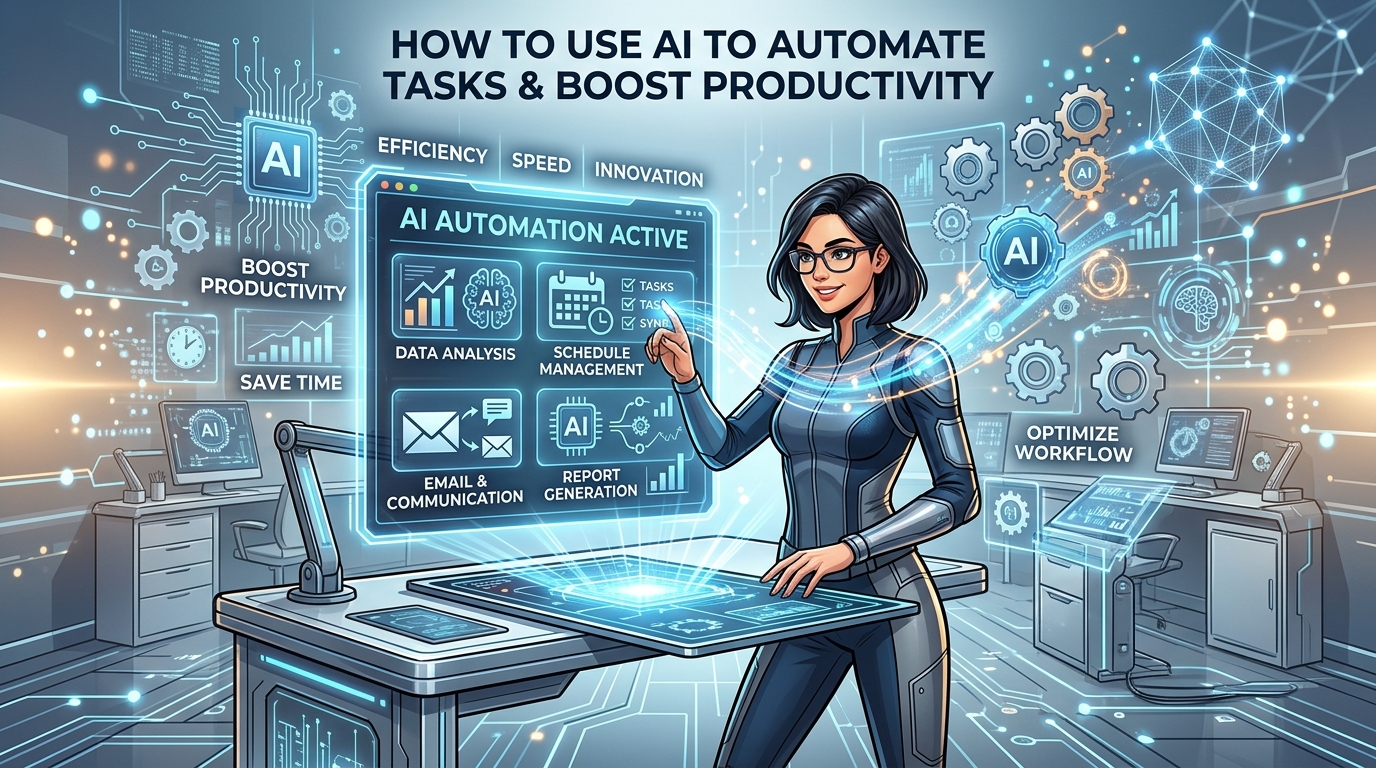
AI automation transforms business workflows by handling repetitive tasks like data entry, scheduling, and customer support. Using AI productivity tools improves efficiency, reduces errors, and frees humans for creative, strategic, and high-value work.
Artificial intelligence has fundamentally shifted how businesses operate and scale. Workflows that once required hours of manual labor now happen quietly in the background. This massive shift frees up human workers for strategic thinking, creative problem-solving, and deep focus work. The transition is driven by the rapid evolution of task automation AI.
Understanding how to use AI to automate tasks is no longer just a technical advantage for massive corporations. Small businesses, freelancers, and enterprise teams alike are discovering that AI tools handle tedious processes with remarkable speed and accuracy. The real challenge lies in knowing which tasks to hand over to machines and how to implement these systems effectively without disrupting your core business operations.
This comprehensive guide explores the mechanics of AI automation in depth. You will learn how to identify the right tasks for automation, select the best AI productivity tools for your specific needs, and integrate these systems into your daily routines. By the end of this post, you will have a clear roadmap showing exactly how to use AI to automate tasks and reclaim your valuable time.
Understanding AI Automation: Beyond Basic Scripting

Traditional automation relies on strict, rule-based logic. If a specific event happens, a script triggers a predetermined response. This method works well for highly predictable environments, but it breaks down quickly when faced with complex, unstructured data.
The Shift from Traditional to AI-Powered Systems
AI automation introduces a powerful layer of intelligence to your software stack. Machine learning models and natural language processing allow software to understand context and recognize subtle patterns. These systems make complex decisions based on constantly changing variables. An AI system can read an incoming email, determine the sender’s actual intent, extract relevant information, and formulate a highly customized response.
AI’s evolution, particularly with natural language processing (NLP), enables it to handle tasks like language translation, summarization, and sentiment analysis with surprising accuracy. For example, smart virtual assistants use advanced NLP to handle scheduling, reminders, and even answer detailed questions, meaning businesses of all sizes gain an instant productivity edge when learning how to use AI to automate tasks.
Core Mechanisms of Task Automation AI
This remarkable adaptability allows organizations to automate workflows that previously required intense human intervention. Knowing how to use AI to automate tasks means understanding that the software learns as it goes. The more data you feed into your AI productivity tools, the better they become at predicting outcomes and streamlining your daily operations.
AI automation systems often blend multiple components — such as computer vision, speech recognition, and machine learning — to take on a wide range of roles. From processing image-based receipts for expense reports to automatically categorizing customer support email topics, task automation AI can redefine what’s possible across departments.
Identifying Automatable Tasks: Where to Begin
The success of your entire automation strategy depends entirely on choosing the right targets. The best candidates when learning how to use AI to automate tasks are highly repetitive, time-consuming, and prone to simple human error.
Before jumping in, observe your daily workflow and take note of steps that feel monotonous or routinely bottlenecked. These are typically the best opportunities for implementing AI productivity tools and scaling your impact.
Repetitive Data Entry and Processing
Transferring information from one system to another is a massive drain on workplace productivity. Employees waste countless hours moving numbers from a PDF into a spreadsheet. AI-powered optical character recognition (OCR) and intelligent document processing tools can scan invoices, receipts, and forms automatically. They extract the required data and populate your database with near-perfect accuracy, eliminating manual entry.
In human resources and accounting, automated document scanning powered by AI reduces onboarding paperwork and speeds up payroll reconciliation. These tools can flag inconsistencies, match names, and make quick adjustments on the fly, greatly reducing the margin of error associated with manual methods.
Revolutionizing Customer Service Inquiries
Customer support teams spend a significant portion of their day answering the exact same questions. This leads to burnout and slow response times for critical issues. Implementing workflow automation in this department drastically improves both employee satisfaction and customer experience.
Implementing Chatbot Automation
AI chatbots and virtual assistants easily handle routine inquiries regarding business hours, shipping updates, and basic troubleshooting. This strategy allows human agents to focus exclusively on complex issues that require genuine empathy and nuanced problem-solving.
For a deep dive into this technology, read about chatbot automation and how it transforms customer interactions.
Chatbots are more than just problem solvers—they are the 24/7 frontlines of your support operation. They can integrate with inventory systems, pull up real-time order details, and transfer conversations to human agents when necessary. Knowing how to use AI to automate tasks like this not only enhances customer satisfaction but also maximizes ROI for support operations.
Accelerating Content Generation
Producing marketing copy, product descriptions, and social media posts requires constant, grueling effort. Marketing teams often struggle to maintain a consistent publishing schedule across multiple platforms. AI writing assistants can generate initial drafts, suggest compelling headlines, and format content based on a few simple prompts. Human editors then step in to refine this output, significantly speeding up the entire production cycle.
Another application is automated video editing. Advanced AI tools can scan long video clips, identify highlights or key moments, generate captions, and quickly produce social-ready reels. This is game-changing for brands with heavy content demands.
Data Analysis and Financial Reporting
Compiling weekly or monthly performance reports often involves pulling numbers from multiple platforms and organizing them manually. This leaves a massive margin for error. AI analytics tools aggregate this data automatically, generate visual dashboards, and highlight key trends that human analysts might miss. Learning how to use AI to automate tasks in finance ensures your reporting is always accurate and on time.
Modern analytics platforms also feature predictive capabilities, using machine learning to unearth patterns and anticipate outcomes (like seasonal sales spikes, churn rates, or cash flow delays). These predictions allow leadership to make nimble decisions rooted in reliable forecasts.
Additional Automatable Areas
Automated Scheduling and Calendar Management
AI scheduling assistants analyze calendars, preferences, and even time zones to book meetings and set reminders. They propose optimal times for all participants, reducing scheduling friction and minimizing back-and-forth emails.
Inventory and Supply Chain Optimization
In retail and logistics, AI-powered systems track inventory levels, predict stockouts, automate orders, and provide real-time updates—with far greater accuracy than historical data alone could achieve. Automated supply chains respond dynamically to disruptions, which is vital for e-commerce.
HR Recruitment and Screening
Hiring managers now rely on AI to prescreen resumes, match candidate skills to job requirements, and even coordinate interview times. Automation here helps eliminate bias and reduce time wasted on unqualified applicants.
Choosing the Right AI Tools for Your Needs
The software market is currently flooded with applications promising to revolutionize your workflow. Selecting the right platform requires a careful assessment of your business goals, technical capabilities, and budget constraints.
Overview of Popular AI Productivity Tools
Tools like Zapier and Make feature integrated AI modules that allow users to connect thousands of apps effortlessly. You can build complex, conditional workflows without writing a single line of code. Platforms like Jasper specialize in content automation, while customer service solutions dominate the support space. For enterprise-level data processing, robust robotic process automation (RPA) infused with AI handles millions of transactions daily.
- Content Creation: Jasper, Copy.ai, ChatGPT
- Workflow Automation: Zapier, Make, Workato
- Customer Support: Zendesk AI, Intercom
- Data Processing: UiPath, Automation Anywhere
Diving Deeper: Evaluating Software Features
Some tools boast API integrations and allow you to connect custom apps, while others specialize in off-the-shelf simple automations. Modern AI productivity tools offer features like natural language processing, sentiment analysis, built-in analytics, and real-time collaboration capabilities.
When evaluating a new tool, prioritize platforms that offer robust documentation, a proactive user community, onboarding resources, and responsive customer support. Learning how to use AI to automate tasks is much smoother when the software is user-friendly and well-supported.
Factors to Consider: Cost, Scalability, Integration
Before committing to any software, closely evaluate its pricing structure. Some tools charge a flat monthly fee, while others bill based on usage or raw compute power. Consider scalability carefully; a tool that works perfectly for a five-person team might fail when supporting fifty employees. Finally, ensure the platform integrates smoothly with your existing tech stack, such as your CRM, email provider, and project management software.
Comparison Table of AI Productivity Tools
To help you decide how to use AI to automate tasks, here is a quick breakdown of popular categories and tools.
|
Tool Category |
Best Used For |
Learning Curve |
Integration Level |
|---|---|---|---|
|
Zapier/Make |
Connecting different apps |
Low to Medium |
High |
|
UiPath |
Enterprise data entry |
High |
Very High |
|
Jasper AI |
Marketing content |
Low |
Medium |
|
Zendesk AI |
Customer service |
Medium |
High |
Implementing AI: A Step-by-Step Guide
Rolling out AI automation requires careful, deliberate planning. Rushing the implementation process often leads to broken workflows, lost data, and deeply frustrated employees.
Data Preparation and Initial Training
AI models require clean, organized data to function properly. Before launching a tool, audit your databases to remove duplicates, correct glaring errors, and standardize all formatting. If you are using custom machine learning models, you will need to train the system using historical data. This ensures it learns to make accurate predictions based on your specific company history.
Well-designed data governance policies are vital for maintaining quality as your use of AI expands. Use data visualization dashboards to help identify gaps, track progress, and catch early anomalies after AI deployment.
Seamless Workflow Automation Integration
Start small. Choose a single, low-risk process to automate first when figuring out how to use AI to automate tasks. Map out every step of the current manual workflow, then meticulously design the automated alternative. Test the AI system extensively in a sandbox environment to identify edge cases and unexpected errors before deploying it across the entire company.
Best practice is to bring a cross-functional team into the pilot—IT manages the integration, end-users give feedback, and leadership tracks outcomes. Iterative testing ensures the AI works in real-world scenarios, keeping downtime and disruption to a minimum.
Continuous Monitoring and Optimization
AI automation is never a set-it-and-forget-it solution. Establish key performance indicators early to measure the success of your automated workflows. Monitor output quality regularly to ensure the AI is not hallucinating or making incorrect assumptions about your data. As your business evolves naturally, adjust the parameters and retrain your models to maintain peak efficiency.
Set up alerting systems so you are notified immediately if the AI encounters unexpected data or system errors. Regularly collecting metrics—like time saved, error rates, and ROI—helps justify further investment and makes your automation journey transparent to stakeholders.
Overcoming Common Pitfalls
As you embark on learning how to use AI to automate tasks, be mindful of a few common pitfalls that businesses encounter.
- Underestimating data prep: Dirty data leads to broken automations and frustrating errors.
- Over-automating: Automate only where it adds value—too much automation can actually complicate workflows.
- Ignoring employee input: Change is easier when teams are included early and see tangible benefits.
- Overlooking compliance: Automation involving customer data must meet privacy regulations and industry standards.
Case Studies: Real-World AI Automation Successes

Organizations across all industries are already reaping the massive benefits of intelligent automation. Seeing these examples helps clarify exactly how to use AI to automate tasks in your own environment.
Small Business Workflow Automation Examples
A boutique marketing agency struggled to keep up with tedious client reporting. By integrating an AI analytics tool with their marketing platforms, they fully automated the generation of weekly performance summaries. The AI pulled the data, generated actionable insights, and emailed the reports directly to clients. This simple workflow automation saved the team over twenty hours per month.
A small e-commerce brand adopted AI-powered inventory management. The system predicted demand trends, flagged slow-moving products, and automatically reordered popular items. This not only saved hours of manual stock checks but also increased sales by keeping high-demand items available.
Enterprise-Level Task Automation AI Applications
A global logistics company implemented AI-driven predictive maintenance across its massive fleet of delivery vehicles. By analyzing sensor data in real-time, the AI system predicted mechanical failures weeks before they occurred. It automatically scheduled vehicles for service and re-routed active deliveries seamlessly. This initiative reduced vehicle downtime by 30% and significantly lowered annual repair costs.
A banking institution deployed virtual assistants to automate routine loan processing and document approval, which improved turnaround time, reduced paperwork, and improved client satisfaction.
Challenges and Solutions in AI Automation
Despite its incredible potential, integrating AI comes with specific hurdles that organizations must proactively address. Ignoring these challenges will derail your efforts to learn how to use AI to automate tasks effectively.
Navigating Data Privacy Concerns
Processing sensitive customer information through third-party AI models introduces severe security risks. To protect your data, only partner with software vendors that explicitly comply with industry standards like GDPR and HIPAA. Use data anonymization techniques before feeding information into external systems. Establish strict access controls within your organization to ensure only authorized personnel interact with the AI backend.
Transparent policies regarding data collection, retention, and deletion help reassure stakeholders and build trust with customers. Conduct regular audits to ensure your systems remain compliant.
Overcoming Resistance to Change
Employees often fear that task automation AI will eventually make their roles obsolete. Transparent, honest communication is absolutely essential here. Clearly explain that you are learning how to use AI to automate tasks specifically to eliminate mundane work, not replace human workers. Provide comprehensive training programs so your team feels highly confident operating the new AI productivity tools.
Encourage feedback loops and reward employees who identify new automation opportunities, reinforcing a culture of innovation and continuous improvement.
The Future of Work: AI as a Collaborator
The public narrative surrounding artificial intelligence frequently centers on total job replacement. The actual reality inside modern businesses is far more collaborative. As AI handles the repetitive, data-heavy aspects of modern workflows, human workers are empowered to focus on true creativity.
With a hybrid workforce, businesses can blend the strengths of people and task automation AI—rapid computation, pattern recognition, and scalability—while people bring insight, ethics, and creative problem-solving to the mix. As more industries see the tangible results of workflow automation, knowing how to use AI to automate tasks will move from optional to essential.
Conclusion
Implementing AI automation is a strategic necessity for any organization looking to scale efficiently and sustainably. By identifying the right repetitive tasks, choosing appropriate AI productivity tools, and addressing security concerns head-on, you build intelligent workflows that save time and eliminate errors.
Start small, monitor your progress closely, and gradually expand your automated systems across different departments. The hours you reclaim by knowing how to use AI to automate tasks can be redirected toward massive innovation. Embrace task automation AI today, and allow your business to thrive in an increasingly competitive digital landscape.
Frequently Asked Questions
What does it mean to know how to use AI to automate tasks?
Knowing how to use AI to automate tasks means identifying repetitive digital chores and assigning them to intelligent software. You train AI systems to handle data entry, email sorting, and basic customer replies. This removes the manual burden from your human workforce and speeds up overall productivity.
What are the best AI productivity tools for beginners?
Beginners should look for platforms with visual, drag-and-drop interfaces that do not require complex coding skills. Discover the best AI tools for productivity to easily supercharge your daily routine. Tools like Zapier and Jasper are highly user-friendly and offer excellent onboarding tutorials for new users.
How do I identify which tasks to automate first?
Look for tasks that you perform daily, require no emotional intelligence, and rely heavily on copying and pasting data. Invoicing, meeting scheduling, and basic data extraction are perfect starting points. Avoid automating tasks that require complex human empathy or strategic negotiation.
Can small businesses afford workflow automation?
Yes, many AI productivity tools operate on a highly affordable software-as-a-service (SaaS) model. You can often start with a free tier or a low monthly subscription that scales as your business grows. The time saved usually pays for the software subscription within the first few weeks of implementation.
Is task automation AI safe for sensitive customer data?
Security depends entirely on the tools you choose and how you configure them. Always use enterprise-grade AI platforms that strictly adhere to global privacy regulations like GDPR. Never feed unencrypted, personally identifiable information into public, open-source AI models without reviewing their data retention policies.
Will learning how to use AI to automate tasks replace my job?
AI is designed to replace specific, mundane tasks, not entire multifaceted jobs. By automating the boring parts of your workday, you free up time to focus on strategic, high-value projects. Workers who embrace AI actually become more valuable to their employers because they produce better results faster.
How long does it take to set up workflow automation?
Simple automations, like linking your email to a spreadsheet, take less than fifteen minutes to set up. Complex enterprise integrations involving custom machine learning models can take several months of planning and testing. Always start with quick wins to build momentum and team confidence.
What is the difference between RPA and task automation AI?
Robotic Process Automation (RPA) follows strict rules to mimic human clicks and keystrokes on a screen. Task automation AI incorporates machine learning to actually understand the data it processes, allowing it to handle exceptions and unstructured information. Combining the two provides the most robust business solution.
Do I need to know how to code to use AI productivity tools?
No, the modern landscape of AI automation is heavily focused on “no-code” and “low-code” solutions. You can build incredibly complex automated workflows simply by connecting visual blocks on a screen. However, having a basic understanding of logic (like “if/then” statements) is highly beneficial.
How do I measure the success of my AI automation efforts?
Track specific metrics before and after implementing your AI tools to measure actual impact. Calculate the hours saved per week, monitor the reduction in manual data entry errors, and survey your employees on their job satisfaction. A successful implementation will show improvements across all these core metrics.
