



AI-powered productivity tools automate tasks, improve accuracy, and enhance decision-making. By integrating writing assistants, workflow automation, and smart AI tools, professionals can save time, reduce errors, and focus on high-value, strategic work.
Professionals everywhere constantly look for ways to get more done in less time. The pressure to increase output while maintaining high quality can leave even the most capable workers feeling overwhelmed. You might try time-blocking, the Pomodoro technique, or complex spreadsheet trackers. These traditional methods help, but they often require significant manual effort just to maintain the system itself.
Artificial intelligence has stepped in to fundamentally change how we work. AI-powered productivity tools are transforming efficiency across every major industry. They allow individuals and teams to automate mundane tasks and focus on high-value work. Software can now draft emails, analyze massive datasets, and predict project bottlenecks before they happen.
This guide explores the rise of artificial intelligence in the workplace. You will learn exactly what AI-powered productivity tools are and how they enhance traditional workflows. We will also cover the top software categories, highlight specific AI productivity apps for various needs, and provide actionable advice on how to implement them effectively.
Understanding AI-Powered Productivity Tools
AI-powered productivity tools are software applications that use machine learning, natural language processing, and other forms of artificial intelligence to assist users in completing tasks. Instead of requiring step-by-step programming, these tools learn from data and user behavior to anticipate needs and automate complex processes.
Traditional productivity methods rely entirely on human discipline. If you use standard AI task management software, you still have to manually enter tasks, set deadlines, and organize priorities. When you introduce smart AI assistants for work into the mix, the software analyzes your emails to suggest tasks, automatically prioritizes them based on approaching deadlines, and even drafts responses on your behalf.
Core Categories of AI Tools
These applications generally fall into a few key categories that target specific workflow bottlenecks:
- Writing Assistants: Help with drafting, editing, and formatting text.
- AI Workflow Automation Tools: Connect different software platforms to trigger actions without human intervention.
- Data Analysis Programs: Review numbers and highlight actionable insights instantly.
- Smart AI Assistants for Work: Manage scheduling, email triage, and daily administrative duties.
By categorizing these AI productivity apps, you can better identify which ones will solve your specific workflow problems.
How AI-Powered Productivity Tools Work: Under the Hood

Machine Learning and Natural Language Processing
AI powered productivity tools use the latest developments in machine learning and natural language processing (NLP) to automate and optimize countless work processes. Machine learning algorithms detect patterns in user behavior—such as peak productivity hours, commonly used files, or types of recurrent tasks. NLP allows AI productivity apps to process written or spoken language the way a human would, making tasks like drafting, summarizing, and scheduling seamless and intuitive.
Integrating with Your Daily Workflow
One of the primary strengths of AI powered productivity tools lies in their ability to integrate with nearly every major business system in use today. Whether you’re using Slack for communication, Salesforce for CRM, or Asana for project management, AI workflow automation tools bridge platforms, moving data and initiating actions without requiring you to lift a finger. Many tools provide open APIs or prebuilt integrations, making customization easier than ever.
Benefits of Integrating AI into Your Workflow
Adopting AI-powered productivity tools offers a wide range of advantages for both solo professionals and large enterprise teams.
Time-Saving and Efficiency Gains
The most immediate benefit of AI workflow automation tools is the sheer amount of time you save. Algorithms process information and execute repetitive tasks in seconds. Tasks like scheduling meetings, formatting documents, or categorizing customer support tickets happen automatically. This frees up hours of your week for strategic planning and deep work.
Points on Time-Saving:
- Automate data entry, document formatting, and progress tracking with just a few clicks.
- Batch process actions across multiple apps and platforms.
- Set up recurring workflows to handle repetitive monthly or weekly tasks, reducing manual oversight.
- Allow AI task management software to remind you of deadlines and follow-ups.
Enhanced Accuracy and Reduced Errors
Humans make mistakes when they are tired or distracted. AI-powered productivity tools maintain a consistent level of precision. Whether it is checking a contract for spelling errors or auditing financial spreadsheets for anomalies, machine learning models catch tiny details that human eyes often miss.
Additional Advantages:
- Spot discrepancies in vast amounts of data within seconds.
- Consistent application of rules and processes reduces risk of compliance errors.
- Natural language understanding means fewer miscommunications with colleagues or clients.
Improved Decision-Making Through Data Insights
Business leaders need accurate information to make good choices. AI productivity apps sift through years of customer data, sales figures, and market trends to provide clear summaries. Instead of guessing what product feature to launch next, you can rely on predictive analytics to guide your strategy.
AI-Powered Analytics Advantages:
- Real-time dashboards that update without manual input.
- Forecasting tools based on extensive, up-to-date datasets.
- Identify underperforming projects before losses accumulate.
Top AI-Powered Productivity Tools for Various Needs
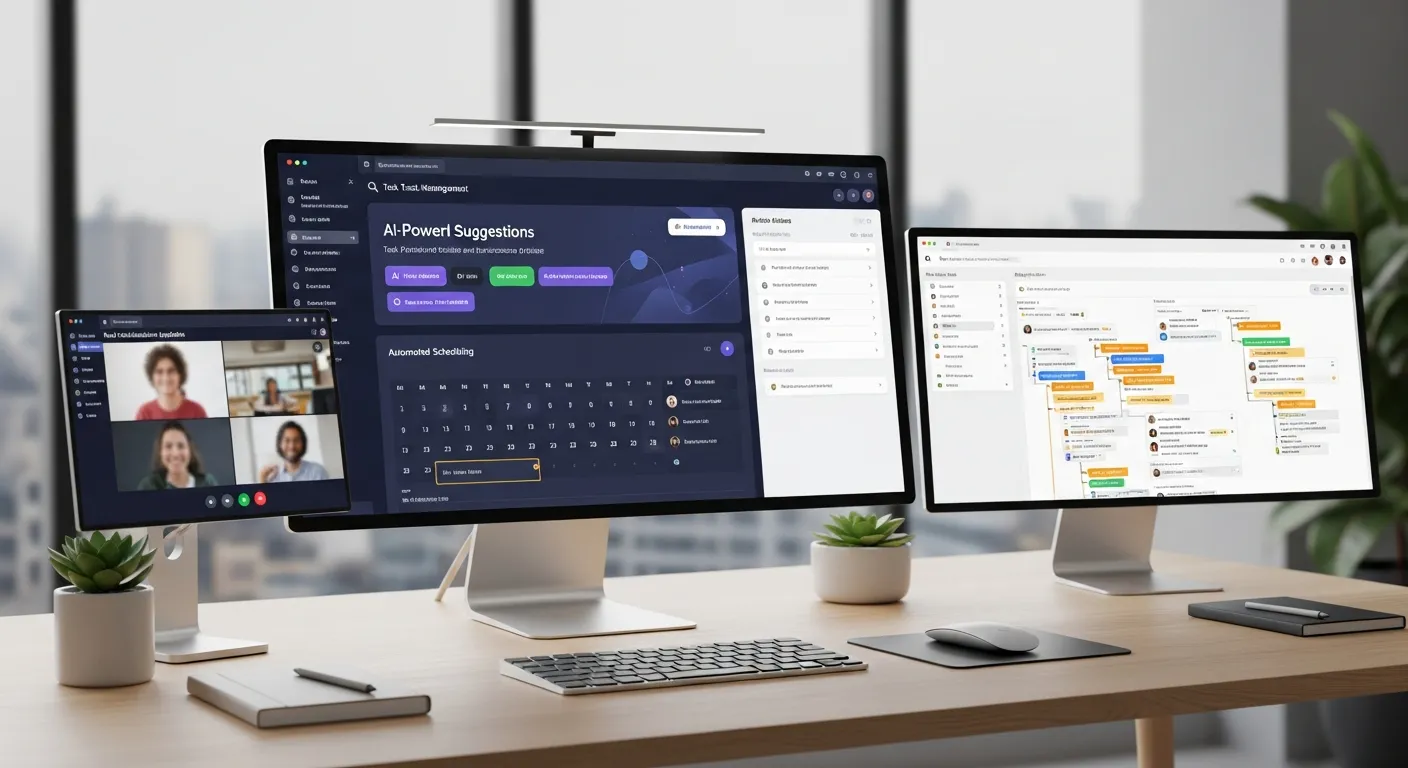
With thousands of options available, selecting the right software can feel daunting. Here is a breakdown of the top tools categorized by their primary function.
AI Writing and Content Generation
Writing is a core component of almost every job. Utilizing AI-powered productivity tools designed for text generation ensures your writing is persuasive and error-free.
Advanced Editors
Tools like Grammarly function as advanced editors. They catch grammatical errors, suggest vocabulary enhancements, and help you adjust the tone of your emails and reports.
Content Creators
Platforms like Jasper take a different approach by focusing on content generation. You can give it a short prompt, and it generates entire blog posts or advertising copy. For a broader look at the best software in this space, you can explore various options online. View the best AI apps here
AI for Brainstorming and Ideation
Many AI productivity apps now include features for brainstorming and creative exploration. Tools assess your prompts, generate outlines, develop mind maps, and even suggest supporting research, saving you hours in the initial stages of any project.
AI Task Management Software and Automation
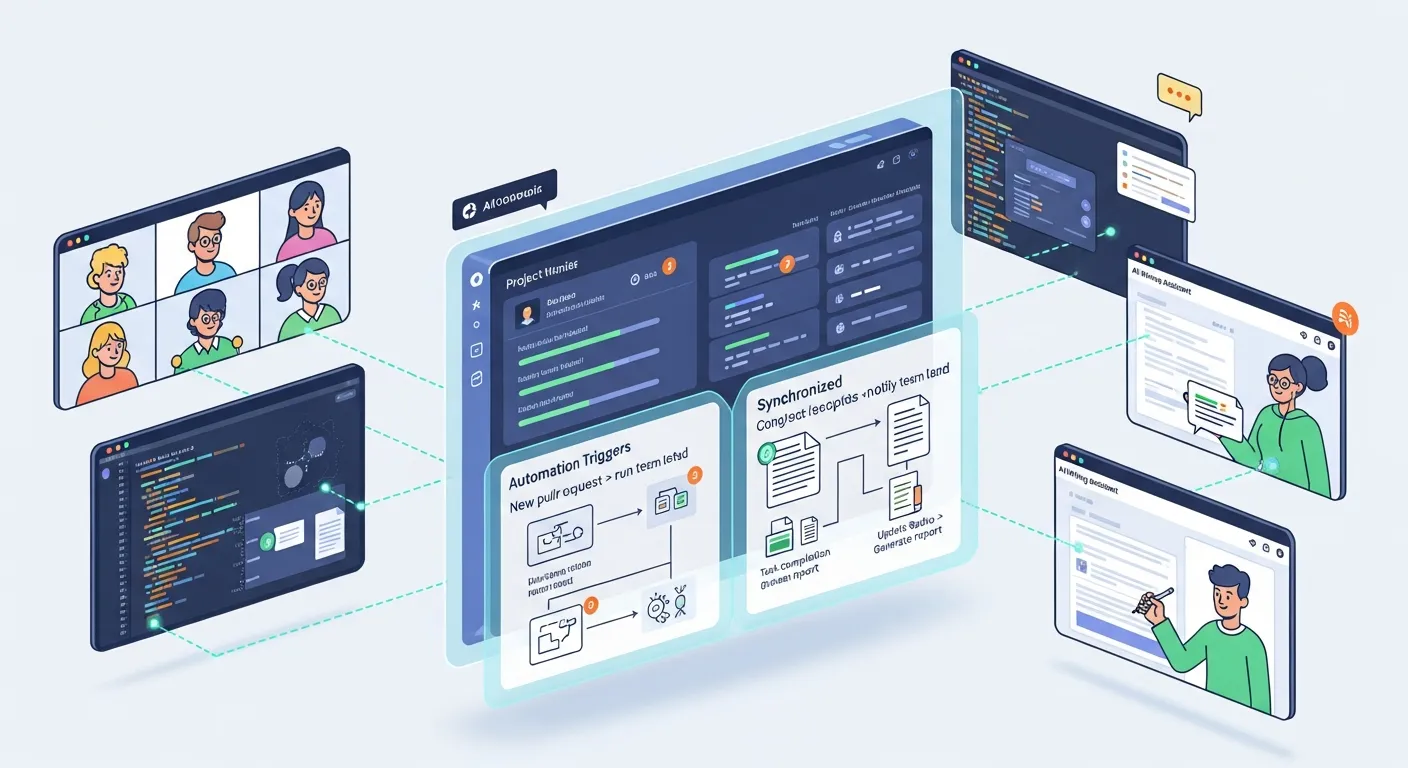
Moving data manually between different applications wastes valuable time. AI workflow automation tools solve this by connecting thousands of apps.
Seamless Integrations
You can set up an automated workflow where a new lead in your CRM automatically triggers a welcome email. AI task management software can then assign cards to specific team members based on their workload, suggest due dates, and summarize long comment threads.
Automated Reminders and Project Progress
Every project manager knows that tracking progress is half the battle. AI powered productivity tools alert team members to impending deadlines, escalate overdue tasks, and provide digests at preset intervals, ensuring nothing slips through the cracks.
Popular AI Task Management Apps Features
|
Tool Name |
Integrations |
Key Feature |
Best For |
|---|---|---|---|
|
Asana AI |
Slack, GSuite |
Predictive project suggestions |
Teams & PMs |
|
ClickUp AI |
Zapier, Zoom |
Automated task routing |
Agile workflow fans |
|
Notion AI |
100+ native |
Summarizations, action item lists |
Cross-team: all sizes |
|
Trello AI |
Power-Ups |
Card priority automation |
Visual planners |
Communication and Collaboration Enhancements
Remote and hybrid teams rely heavily on digital communication. Smart AI assistants for work seamlessly integrate into chat platforms to answer common questions, schedule messages, and summarize missed conversations. Meeting software now includes AI transcription services that provide real-time captions and generate post-meeting summaries, making collaboration effortless.
Smart Virtual Meeting Aides
AI-powered productivity tools record audio, transcribe conversations, identify action items, and send personalized summaries to each participant. Such features allow you to focus on engaging with your team instead of worrying about notetaking.
Language Translation and Accessibility
With global teams becoming standard, AI productivity apps bridge language barriers by translating written messages and even spoken content on the fly, ensuring that meetings and documentation are accessible to everyone.
AI Workflow Automation Tools: Beyond the Basics
Automating Complex Processes
AI workflow automation tools go far beyond simple scheduling or data transfer. They can now manage multi-stage business processes, drawing on multiple datasets and responding intelligently to changing conditions.
Common Automation Use Cases
- Lead Capture to Sale: Automatically move new customer info from website forms to your CRM, initiate email drips, update sales dashboards, and schedule follow-ups.
- Employee Onboarding: Trigger HR document requests, schedule training, and set up introductory team meetings with zero manual input.
- Invoice and Payment Processing: Generate, track, and file invoices, and notify the finance team once payment is received.
Advanced Workflow
|
Workflow |
Trigger Event |
AI Automation Action |
|---|---|---|
|
New lead from website |
Form submission |
Add to CRM, auto-email, assign sales rep |
|
Project milestone met |
Task completion in the project tool |
Notify team, update dashboard, archive files |
|
Invoice receipt |
Payment confirmation email |
Mark as paid, update ledger, send receipt |
Customizing AI Productivity Apps for Your Unique Needs
Modifying AI Outputs
Most modern AI-powered productivity tools allow users to tailor outputs using custom rules, keywords, or training sets. Smart AI assistants for work can be taught to mimic your writing style or follow specific templates.
Personalization Points
- Feed your chatbot examples of past successful client communications.
- Set up “if/then” rules for recurring tasks (e.g., any email with “contract” triggers legal team review).
- Adjust verbosity settings, summary lengths, and default languages.
Accessibility and Scalability
AI productivity apps are built for use by individuals, startups, and global conglomerates alike. Features such as single sign-on, advanced permissions, and bulk import/export tools ensure that expansion is seamless.
Multi-Device Synchronization
Cloud-based AI-powered productivity tools synchronize your notes, files, and messages across all devices, so you work fluently whether in the office, at home, or on the move.
Measuring ROI and Productivity Gains
Establishing KPIs for AI Implementation
Like any business investment, AI workflow automation tools should be assessed based on their return on investment. KPIs might include hours saved, error rates before and after automation, speed of task completion, and direct employee satisfaction surveys.
Example Productivity KPIs
|
Metric |
Pre-AI Baseline |
Post-AI Automation |
% Change |
|---|---|---|---|
|
Email response time |
4 hours |
1 hour |
-75% |
|
Weekly manual reports |
5 hours/week |
30 minutes/week |
-90% |
|
Missed deadlines/month |
3 |
0 |
-100% |
|
Employee satisfaction |
6/10 |
9/10 |
+50% |
Continuous Monitoring and Improvement
Many AI-powered productivity tools offer built-in analytics to monitor real-time performance. Regularly reviewing these reports helps you fine-tune automation rules, identify new bottlenecks, and continuously improve operations.
Training and Adoption: Ensuring Success
Building a Pro-AI Culture
AI-powered productivity tools are most successful when they’re embraced as collaborators, not threats. Encourage open discussion, provide hands-on training, and reward employees who discover new ways to leverage AI workflow automation tools.
Adoption Best Practices
- Host onboarding sessions focused on each tool’s unique benefits.
- Foster peer-to-peer education to accelerate universal adoption.
- Encourage feedback loops—let users suggest improvements that align with their daily routines.
Overcoming Resistance
No transformation happens without a few skeptics. Provide clear evidence of time savings or stress reduction. Use case studies and testimonials to inspire confidence, and show how smart AI assistants for work free up time for more fulfilling, creative assignments.
Security and Ethical Considerations
Securing Sensitive Data
With the rise of AI-powered productivity tools, data security is paramount. Ensure all solutions use end-to-end encryption, respect access permissions, and comply with regulations like GDPR or HIPAA.
Security Tips:
- Regularly update passwords and use multi-factor authentication.
- Restrict API access to only what is necessary for workflow automation.
- Review the terms of service to ensure your business data is not being used for unrelated model training.
Ethical AI Use and Reducing Bias
AI productivity apps, while powerful, can sometimes perpetuate or amplify bias present in their training data. Regularly audit outcomes for fairness and accuracy, especially in areas such as hiring, performance reviews, or financial forecasting.
The Future of AI-Powered Productivity Tools
Emerging Trends and Innovations
As AI technologies advance, smart AI assistants for work will become even more proactive. Imagine an assistant that doesn’t just automate tasks but also provides context-aware suggestions, detects burnout risk, and nudges you to take breaks or delegate more effectively.
Examples of New Horizons
- Voice-activated AI productivity apps that transcribe, translate, and action tasks from a single verbal command.
- Predictive project management where AI identifies and addresses obstacles before humans notice them.
- Hyper-personalized dashboards curated based on your unique work history, skills, and goals.
Integrating AI and Human Intelligence
The future is not about AI replacing humans but about AI-powered productivity tools enabling smarter, more meaningful work. As these tools move closer to true understanding, employees will shift toward analytical, creative, and relationship-driven roles—with the “heavy lifting” handled by automation and AI workflow automation tools.
Case Studies: AI Productivity Apps in Action
Case Study 1: AI Automation in Marketing
A fast-growing e-commerce company deployed AI task management software to handle content creation, ad campaign optimization, and customer service ticket routing. As a result, campaign launch time dropped by 70%, while customer satisfaction scores soared.
Case Study 2: Remote Engineering Team Workflow
A distributed engineering team adopted AI workflow automation tools to synchronize code commits, pull requests, meeting notes, and bug tracking. This not only eliminated repetitive updates but also fostered real-time collaboration across time zones.
Extra Tips for Maximizing Your AI Productivity Apps
- Regularly revisit automation rules—what worked a year ago may now be slowing you down.
- Leverage built-in analytics to spot patterns in how your team uses smart AI assistants for work.
- Stay updated with the latest AI-powered productivity tools to remain ahead of the competition.
- Create custom templates and processes that can be reused and taught to new team members, compounding the benefits of your AI investment.
Frequently Asked Questions
What exactly are AI-powered productivity tools?
AI-powered productivity tools are advanced software applications that use artificial intelligence to automate tasks, analyze data, and assist users. They go beyond simple digital planners by actively learning from your habits to suggest improvements and handle repetitive administrative duties automatically.
How do AI workflow automation tools save time?
AI workflow automation tools save time by eliminating the need to transfer data between different applications manually. They create seamless triggers, meaning an action in your email can automatically update your CRM and notify your team on chat platforms without any human input.
Is AI task management software difficult to learn?
Most modern AI task management software is designed with user-friendly, drag-and-drop interfaces that do not require coding knowledge. While there is a brief learning curve to understand the specific features, the platforms often provide guided tutorials that make onboarding quite simple.
Can smart AI assistants for work handle my emails?
Yes, smart AI assistants for work are excellent at managing chaotic inboxes by categorizing incoming messages by priority. They can also draft contextual replies based on your previous communication style, leaving them in your drafts folder for a quick final review before sending.
What are the best AI productivity apps for remote teams?
Remote teams benefit greatly from AI productivity apps that summarize long chat threads and generate action items from recorded video meetings. This ensures that team members across different time zones can catch up on project updates quickly without watching hours of video.
Will AI-powered productivity tools replace my job?
AI-powered productivity tools are designed to augment human capabilities, not replace them entirely. By taking over mundane, repetitive tasks, they allow you to focus on strategy, creative problem-solving, and relationship-building, which are highly valued human skills.
Can AI help me find a new job or advance my career?
Absolutely. Specialized AI platforms can match your resume with the perfect job openings and even help you tailor your application materials to specific roles. Learn how an AI job finder transforms your career search here.
How secure is my data when using AI workflow automation tools?
Data security varies by provider, so it is crucial to review the privacy policies of any AI workflow automation tools you adopt. Look for enterprise-grade encryption and ensure the vendor does not use your private company data to train public AI models.
Do I need a large budget to use AI task management software?
No, you do not need a massive budget to get started with AI task management software. Many top-tier platforms offer robust free tiers or affordable monthly subscriptions designed specifically for freelancers, small business owners, and individual professionals.
How do I introduce smart AI assistants for work to my team?
Introduce smart AI assistants for work by clearly demonstrating how the tools will eliminate the specific tedious tasks your team hates doing. Provide adequate training sessions and designate an internal team member as the “go-to” expert to help others overcome any initial friction.
Conclusion: Embrace AI-Powered Productivity Tools for Lasting Success
Integrating AI-powered productivity tools into your daily work isn’t just about saving time; it’s about fundamentally changing the way you and your team operate. Embrace these tools, automate your repetitive routines, and empower your people to do their most meaningful work. As this technology continues to advance, staying informed and proactive will ensure you remain on the cutting edge of workspace innovation for years to come.
