


AI for task automation streamlines repetitive business processes like data entry, customer support, and logistics. It improves efficiency, accuracy, and cost savings by using technologies such as machine learning, RPA, and natural language processing.
Artificial intelligence is no longer just a futuristic concept reserved for tech giants and science fiction movies. It has rapidly become a practical tool that businesses of all sizes use to handle their daily operations. From sorting emails to analyzing massive datasets, software powered by artificial intelligence handles repetitive work so human employees can focus on strategy and creativity. Today, mastering AI for specific task automation is one of the most crucial strategies for staying competitive.
When we talk about using AI for specific task automation, we mean deploying smart algorithms to handle narrow, well-defined processes. Instead of trying to build a machine that can do everything a human does, companies are finding massive success by targeting individual, time-consuming chores. This targeted approach makes the technology much more accessible and easier to implement. Not only does this lower the cost of entry, but it also reduces complexity and risk during rollouts.
The benefits of automating specific tasks are hard to ignore. First, you gain incredible efficiency. A machine learning model can process thousands of invoices in the time it takes a human to review just one. Second, you see a significant boost in accuracy. Algorithms do not get tired, distracted, or bored, which drastically reduces the rate of human error. Finally, these improvements naturally lead to substantial cost reductions, allowing organizations to allocate their budgets toward growth and innovation. Over time, leveraging custom AI workflow automation tools can even help you redefine your entire business model for greater agility and innovation.
Identifying Automatable Tasks
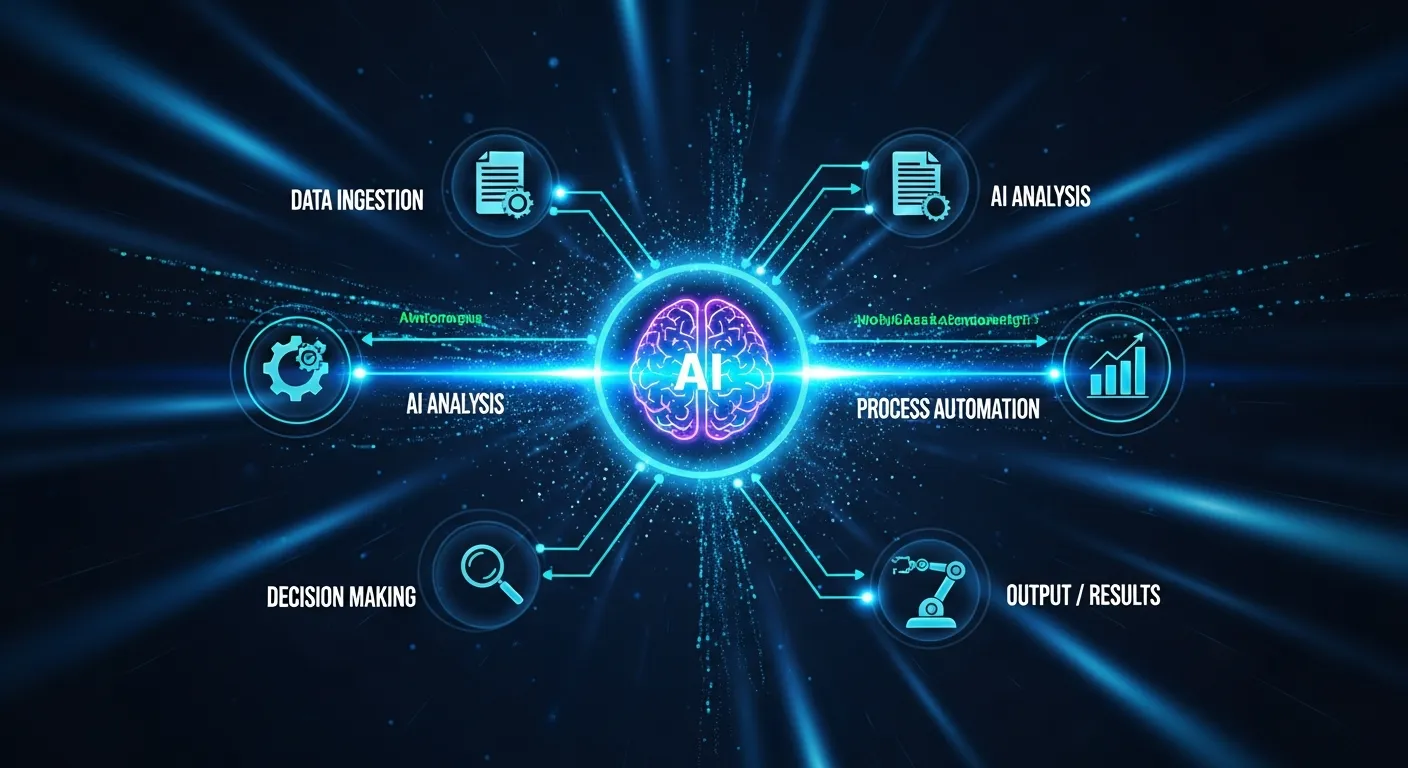
The first step on your journey to AI for specific task automation is identifying exactly which pieces of your workflow are best suited for automation. Not every job or department is an ideal candidate for artificial intelligence. To get the best return on your investment, you need to know exactly what to look for when implementing AI for specific task automation.
Characteristics of Suitable Tasks
The best tasks for AI automation share a few common traits. They are highly repetitive, rule-based, and rely on structured data. If a process requires a person to follow the exact same series of steps every single time, an algorithm can probably do it better. Additionally, tasks that demand processing large volumes of information quickly are prime candidates for AI for specific task automation. For example, data validation, invoice processing, and scheduling all tend to revolve around routines that AI can handle with ease.
Some of the main features that point to a task being “AI-ready” are:
- Repetitiveness: High-frequency tasks repeated daily or even hourly.
- Rule-based decision making: There’s a clear if-then decision pathway that can be codified.
- Structured input data: Inputs can be standardized, such as spreadsheets, forms, or barcodes.
- Volume: Processing many small transactions or pieces of data that would be time-consuming for a person.
On the other hand, ambiguous tasks that demand extensive judgment or require context only a human can provide are not ideal for automation.
Examples Across Different Industries
Different sectors are already seeing the benefits of this targeted approach. Whether you manage a retail store or a massive logistics hub, AI for specific task automation offers immense value.
Data Entry and Processing
Finance and accounting departments use algorithms to extract numbers from digital receipts and populate spreadsheets automatically. AI workflow automation tools can read scanned documents, identify key financial figures, and update central databases without human intervention. This eliminates transcription errors and speeds up the monthly closing process. Law offices, insurance companies, and healthcare providers also use similar algorithms for form processing and compliance checks.
Customer Support Workflows
Retailers deploy intelligent chatbots that can instantly answer common questions about shipping times, return policies, and product availability. This level of business process automation AI ensures customers get immediate answers while freeing up human agents to handle complex emotional or technical disputes. Customer support is one of the best showcases for AI for specific task automation because tasks are frequent and rules-based.
Content Generation
Marketing teams use language models to draft social media posts, write product descriptions, and generate email subject lines. AI task automation software helps copywriters brainstorm ideas and create initial drafts rapidly. This accelerates campaign launches and keeps content calendars full. Advanced platforms can even tailor messaging to fit diverse customer demographics.
Logistics and Supply Chain
AI is streamlining everything from inventory reordering to shipping optimization. By predicting when supplies will run short and automatically placing orders, AI for specific task automation reduces downtime and saves money. Routes and carriers can be dynamically selected to reduce delivery times and costs with machine learning models analyzing historical shipping data.
Human Resources and Recruitment
Recruiters use AI workflow automation tools to scan hundreds of resumes, schedule interviews, and sort candidates based on required skills. The result is quicker responses to applicants and a more objective screening process. Video interview platforms can even use AI to evaluate nonverbal cues and predict candidate fit.
Assessing Your Business for AI Implementation

To find your own automation opportunities, start by auditing your team’s daily workflow. Ask your employees to track how much time they spend on administrative chores over the course of a week. Look for bottlenecks where work piles up and slows down the entire department. Once you identify these friction points, evaluate them against your operational goals to see if a smart software solution makes sense.
Internal Audit Tips
Deploying AI productivity automation tools requires a clear understanding of your current limitations. You need to map out every step of a process before you can teach a machine to do it. Consider evaluating your workflows based on error rates, time consumption, and employee frustration levels.
To guide your internal audit, look for these specific indicators:
- High volume of manual data transfer between different software applications.
- Frequent human errors in repetitive calculations or scheduling.
- Employees spending more than three hours a day on non-strategic, administrative duties.
- Customer complaints regarding slow response times to basic inquiries.
Kick off the process with a few focused workshops or surveys among staff. Encourage them to highlight tasks they find frustrating, boring, or error-prone. Quantifying the amount of time “wasted” on these chores will help build a clear business case for investing in AI for specific task automation.
Comparing Manual vs. Automated Workflows
|
Process Element |
Manual Workflow |
AI Automated Workflow |
|---|---|---|
|
Processing Speed |
Limited by human typing speed and fatigue |
Near-instantaneous execution |
|
Error Rate |
High, especially during repetitive tasks |
Extremely low, relies on set rules |
|
Scalability |
Requires hiring more staff |
Easily scales by adjusting server capacity |
|
Cost |
High continuous labor costs |
Upfront software cost with low maintenance |
To understand the broader impacts on your team, explore insights on AI productivity.
Key AI Technologies for Specific Task Automation

Understanding the different tools available will help you choose the right solution for your business needs. Utilizing AI for specific task automation requires matching the right software to the right problem. Each technology has unique strengths.
Robotic Process Automation (RPA)
RPA acts like a digital worker. It mimics human actions on a computer, such as logging into applications, copying and pasting data, and moving files. While traditional RPA simply follows rigid instructions, modern versions incorporate artificial intelligence to handle minor variations in the data they process. This makes RPA a foundational pillar of AI workflow automation tools.
Some companies use RPA to automate employee onboarding, manage approvals for expense reports, or batch-transfer files between internal systems and cloud storage. The advantage is that you can often bolt RPA onto existing legacy software without changing the underlying infrastructure.
Machine Learning (ML) for Predictive Tasks
Machine learning involves training a system on historical data so it can recognize patterns and make predictions. Retailers use ML to forecast inventory needs based on seasonal trends and past purchasing behavior. Financial institutions use it to flag unusual transactions that might indicate fraud. ML elevates AI for specific task automation from simple rule-following to dynamic problem-solving.
Machine learning models continue to improve as they process more data over time, growing more adept at identifying exceptions and handling edge cases. Insurance, banking, and real estate benefit greatly from these predictive systems.
Natural Language Processing (NLP)
Natural Language Processing allows computers to understand and generate human language. This is the engine behind virtual assistants, automated translation services, and sentiment analysis tools. If a task involves reading text, summarizing documents, or drafting responses, NLP is the technology you need for business process automation AI.
NLP also powers AI for specific task automation in areas like document search, contract analysis, and even compliance audits. It can help businesses parse vast volumes of text far faster than any team of human reviewers could.
Computer Vision for Visual Tasks
Computer vision gives machines the ability to interpret visual information from the world around them. Manufacturing plants use this technology to automatically inspect products on an assembly line and identify microscopic defects. Security companies use it to monitor video feeds and detect unauthorized access.
Real estate agents use computer vision for property image classification. Healthcare organizations use it for diagnostic imaging. In the supply chain, it can track the movement of goods with camera systems.
Integrated Solutions
Enterprise platforms increasingly combine these core technologies (RPA, ML, NLP, computer vision) into end-to-end AI productivity automation tools. The flexibility to switch between methods allows you to maximize automation across more of your business.
Implementing AI for Specific Task Automation
Bringing new technology into your workflow requires careful planning. Rushing the process often leads to frustration and wasted resources. Implementing AI for specific task automation must follow a structured approach—not only to ensure technical success, but also to achieve team buy-in.
Step-by-Step Guide to Implementation
- Start with a Pilot Project: Select a single, low-risk process as a test case. This could be automating incoming invoice processing, new-hire onboarding, or support ticket routing.
- Define Metrics of Success: Identify what “success” looks like for your AI for specific task automation. Will it be reduced response time, fewer errors, or increased volume of cases handled?
- Allocate Roles and Responsibilities: Assign clear responsibilities for configuring, testing, and monitoring the system. Designate someone as “AI owner” for accountability.
- Train and Test: Feed the AI with clean, labeled data to train its routines. Test extensively under real conditions before moving the system to full production.
- Monitor and Optimize: Gather feedback from staff and track performance metrics. Be ready to iterate—early-stage AI often needs tuning.
- Scale Up: Once the pilot is proven successful, expand automation to adjacent tasks or departments.
This incremental approach helps your team adapt and learn, minimizing resistance and maximizing the ROI of your investment.
Choosing the Right Tools and Platforms
The market is flooded with software promising to revolutionize your business. Look for platforms that integrate seamlessly with the software you already use. Cloud-based AI productivity automation tools are often the best choice for small to medium-sized businesses, as they require less upfront investment and are easier to scale as your needs grow.
Choosing providers that offer robust support, continuous updates, and rich training resources will speed up your learning curve. Carefully review customer testimonials, case studies, and integration guides before making your selection.
Integrating AI with Existing Systems
Your new tools need to communicate with your current infrastructure. Work closely with your IT department or software vendor to ensure secure and efficient data transfer through Application Programming Interfaces (APIs). Poor integration can lead to data silos and broken workflows, defeating the purpose of using AI for specific task automation.
For legacy systems, you may need to invest in middleware or adapters to bridge gaps. Over time, as your organization grows in AI maturity, seek out platforms that offer open APIs and customizable workflows for maximum flexibility.
Data Management and Governance
As you automate tasks, you’ll generate more data. Establish data governance policies to ensure your AI workflow automation tools use only high-quality, relevant information. Protect sensitive personal or financial information through strong encryption, limited access, and periodic audits.
Best Practices for Successful Deployment
Communication is vital. Keep your team informed about what the new technology will do and how it will change their daily routines. Provide comprehensive training so employees feel confident working alongside the AI workflow automation tools. Always maintain a human-in-the-loop system for the first few months, meaning a person reviews the machine’s work to catch any early errors.
Encouraging a culture of continuous learning will help employees embrace the change. Host informal Q&A sessions, brown-bag lunches, or demo days to showcase what the new tools can do and field concerns or suggestions.
Case Studies: AI in Action
Looking at real-world applications provides a clearer picture of what is possible when you leverage AI for specific task automation.
Real-World Examples
Consider a mid-sized e-commerce company struggling with a high volume of customer inquiries during the holiday season. They implemented an NLP-powered chatbot to handle initial requests. The bot successfully resolved 60% of incoming tickets—mostly questions about order tracking—without any human intervention. This release of human capacity led to more personalized service for complex or high-value customer interactions and faster response times overall.
In another example, a regional healthcare provider used computer vision algorithms to assist radiologists in reviewing X-rays. The AI task automation software was trained to highlight areas of concern, acting as a highly accurate second set of eyes. Diagnostic accuracy improved, and fatigue-based mistakes dropped significantly, ultimately benefiting patient outcomes.
Quantifiable Results and Lessons Learned
The e-commerce company reduced their average customer response time from four hours to under two minutes. The healthcare provider increased the speed of their diagnostic reviews by 30%. Both organizations learned that while business process automation AI is powerful, its success relied heavily on feeding the systems clean, accurate data during the initial setup phase.
Organizations adopting AI for specific task automation should expect a “ramp up” phase where they invest more time in data cleaning, employee training, and process documentation. Those efforts pay long-term dividends in system stability and employee trust.
Additional Sectors Seeing Impact
- Manufacturing: AI-powered robotics optimize factory lines and quality control, slashing production times and reducing waste.
- Legal: Document review for e-discovery using NLP reduces review times from months to days.
- Education: Automated grading systems and adaptive learning platforms personalizing instruction for students.
- Travel & Hospitality: Smart booking engines, chatbots for customer support, and dynamic pricing algorithms.
Challenges and Considerations
While the advantages are clear, adopting intelligent software comes with hurdles that must be managed responsibly. Successful AI for specific task automation requires foresight and thoughtful planning.
Data Privacy and Security
Algorithms require massive amounts of information to function correctly. You must ensure that any customer or employee data you feed into these systems complies with relevant privacy laws. Encrypt sensitive information and restrict access to authorized personnel only to protect your AI workflow automation tools from breaches.
Consider establishing data minimization policies—feed the AI only what it needs and nothing more. Regularly review your compliance with regulations such as GDPR and CCPA, and establish an incident response plan in case of data exposure.
Ethical Implications
Bias is a serious concern. If an algorithm is trained on flawed data, it will produce flawed results. For example, an automated resume screening tool might unfairly reject qualified candidates if its training data lacked diversity. Regular audits are necessary to ensure your systems are making fair and objective decisions.
Many organizations create cross-functional “AI Ethics Committees” that meet quarterly to review automated decisions, training data, and any flagged complaints to preserve transparency and fairness.
Up-skilling the Workforce
As machines take over routine chores, the nature of human work will change. Companies have a responsibility to train their employees for higher-level tasks. Workers who used to spend their days doing manual data entry can be re-skilled to analyze the reports generated by your AI task automation software.
Invest in continuous professional development—offer access to online courses, workshops, or technical certifications to future-proof your team and encourage career growth within your company.
Overcoming Change Resistance
Change management is crucial. Some employees will naturally fear being replaced. Mitigate this by communicating that AI for specific task automation eliminates repetitive work, empowering them to focus on creativity, relationships, and strategic growth.
The Future of AI in Task Automation
The technology is advancing at an incredible pace, and the AI productivity automation tools available tomorrow will far surpass what we have today. The future looks not only faster, but also smarter and capable of learning and evolving with each interaction.
Emerging Trends and Technologies
We are moving toward systems that can handle multi-step, complex workflows autonomously. Instead of just extracting data from an invoice, future business process automation AI will extract the data, verify it against a contract, initiate the payment, and email a receipt, all without human prompting. Soon, conversational AI assistants may orchestrate workflows across departments with simple voice commands.
Technologies to watch:
- AutoML: Automated machine learning platforms allow even non-experts to train models, democratizing access to AI.
- Hyperautomation: Combining several automation tools and AI to automate as many business processes as possible.
- AI-driven analytics: Augmented analytics platforms extract insights, make recommendations, and automate business intelligence.
The Evolving Role of Human-AI Collaboration
The goal is not full replacement of human workers, but rather augmentation. The future workplace will feature seamless collaboration between people and algorithms. Humans will provide the emotional intelligence, strategic vision, and ethical oversight that machines simply cannot replicate. Companies that master human-AI collaboration will gain a decisive edge, as work becomes more efficient and employees more empowered.
Industry-Specific Visions
As AI for specific task automation matures, industries will benefit in increasingly customized ways. Retail might move toward true “personalization at scale,” while finance automates intricate portfolio analysis. Healthcare will optimize patient pathways, and supply chains will adapt in real time to disruptions—a level of agility impossible without automation.
Frequently Asked Questions
What exactly is AI for specific task automation?
AI for specific task automation involves using smart algorithms to handle narrow, highly defined chores rather than broad, complex jobs. This approach focuses on repetitive, rule-based processes to increase speed and reduce human error. It serves as a practical way to boost operational efficiency.
How much does AI task automation software cost?
Costs vary widely depending on the complexity of the task and the specific platform you choose to implement. Simple cloud-based tools might cost a few hundred dollars a month, while custom enterprise systems require larger investments. The return on investment usually offsets the initial expense quickly.
Do I need a team of programmers to use these tools?
Not anymore. Many modern AI workflow automation tools offer “no-code” or “low-code” visual interfaces. These allow standard business users to build automated workflows using simple drag-and-drop menus rather than writing complex computer code.
Will automation completely replace my employees?
It is highly unlikely. While specific manual chores will disappear, human judgment, creativity, and empathy remain entirely irreplaceable. Automation changes the nature of jobs rather than eliminating the need for human workers, freeing them for strategic tasks.
What is the best way to start with business process automation AI?
Start small by auditing your team’s workflow to find one highly repetitive, time-consuming task. Implement a pilot program using an accessible software tool to automate this single process. Gather data, refine the system, and then slowly scale the technology to other departments.
Can AI help with recruitment and hiring tasks?
Yes, AI can automate resume screening, interview scheduling, and candidate matching based on specific criteria. You can even see this in personal career optimization; read about using AI for your job search to see how algorithms match resumes to open roles.
How does AI ensure accuracy in data entry?
AI uses techniques like Optical Character Recognition and Natural Language Processing to read and extract data precisely. Because the algorithm relies on fixed rules and does not suffer from fatigue, it consistently transfers data without the typos common in human work.
Are cloud-based AI productivity automation tools secure?
Reputable cloud-based tools utilize advanced encryption, multi-factor authentication, and strict compliance standards to protect data. However, businesses must still perform due diligence and ensure they properly configure access controls. Security is a shared responsibility between the vendor and the user.
What happens if the AI encounters a task it does not understand?
Most systems operate with a “human-in-the-loop” safeguard for exceptions and complex anomalies. When the software encounters an unknown variable or unstructured data, it pauses and routes the task to a human employee for review. This prevents cascading errors in your workflow.
How quickly can I expect to see a return on investment?
Many organizations see tangible improvements in processing speed and error reduction within the first three months of deployment. Financial ROI depends on the cost of the software versus the labor hours saved. Typically, well-implemented task automation pays for itself within the first year.
Embrace the Power of Automated Workflows
Leveraging AI for specific task automation offers a clear path to running a more efficient, accurate, and profitable business. By identifying the right repetitive chores, choosing the appropriate technology, and managing the transition carefully, you can free your team from tedious administrative work.
Start by auditing your internal processes this week. Find one simple, repetitive task that consumes too much time, and research a software solution designed to handle it. Taking that first small step today will prepare your organization for the automated future of work.
